# local agent development
Build AI agentslike software.
Develop, run, and iterate on portable agents from your Mac. Edit instructions, skills, and tools as ordinary files; test every agent in its own disposable Linux VM.
free · v0.2.0 · Apple silicon · macOS 14+ · first run fetches the guest image
pack.json
vm size, and which files land where
AGENTS.md
instructions
SOUL.md
voice
MEMORY.seed.md
seeded once — then the agent owns it

# iterate locally
Edit a file. Run the next turn.
An agent is a versionable folder holding its instructions, memory, skills, tools, and machine size. Edit its instructions, skills, or tools and the next turn picks them up — no rebuild, no restart.
- pack.jsonvm size, and which files land where
- AGENTS.mdinstructions
- SOUL.mdvoice
- MEMORY.seed.mdseeded once — then the agent owns it
- skills/health-log/SKILL.mda skill, in plain markdown
- tools/reply.sha tool the agent runs mid-turn
Works with Git and any editor
A pack is a folder of markdown, JSON, and shell scripts. Nothing proprietary to check in.
Lands on the next turn
Changed files are pushed before every turn. Seed memory is the exception — that one is written once, then the agent owns it.
See the work, not just the answer
Running Codex, the Mac shows the commands and output behind a turn; a paired phone only ever gets the reply.
run a command in the guest
$ ! ls /workspace/log
Prefix a chat message with !to run a shell command inside that agent's VM.
# runtimes and models
Run it on the runtime you want.
Pick the runtime and the model when you create an agent. The runtime is set at creation, so trying a different one means a second agent from the same pack — the pack itself doesn't change.
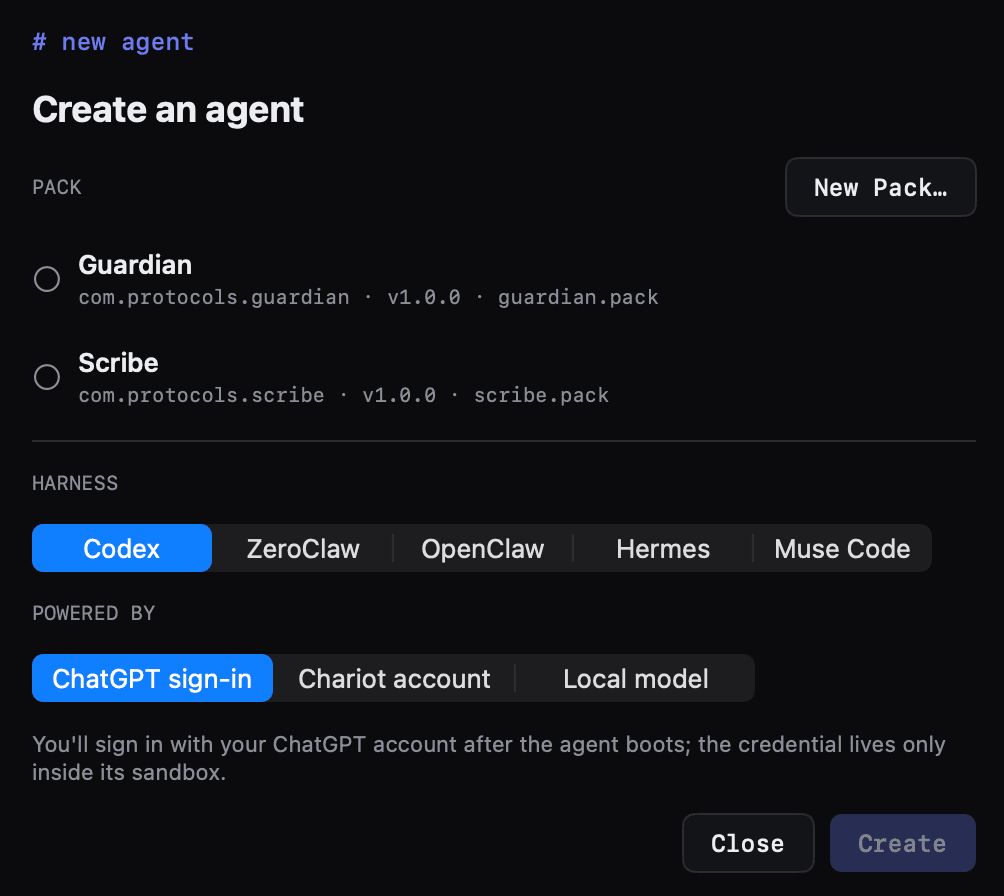
five runtimes
three ways to power them
ChatGPT sign-in
Sign in with the ChatGPT account you already pay for. Codex only.
Chariot account
Metered models through Chariot, billed per agent.
Local model
Ollama, LM Studio, or llama-server — bound to localhost.
# clean machines
Give every experiment a clean machine.
Run agents against a predictable Linux environment, then reset to a factory-fresh state in seconds. The same starting point every time is what makes a result mean something.
environment
same Debian guest every run
reset
re-clones the disk, replays the pack
your files
only what the pack puts there
network
outbound only — nothing listens in
the part that matters
Your credentials never enter the sandbox.
With a Chariot account or a local model, the agent gets a dummy key and a loopback port. Your real token stays on your Mac, and the VM can never read it.
# ship it
From local agent project to cloud fleet.
Chariot runs fleets in the cloud on the same runtime families — waking on demand, hibernating when the work is done, and billed only while they work.
Test your agent from a real client.
Pair a phone by QR and talk to the agent over your own tailnet, end-to-end encrypted. A sample iOS app ships in the repo.
# download
Build your first agent.
Free. First run fetches the guest image, then the app tells you exactly what still needs wiring up.
macos
14 or later
chip
Apple silicon
disk
~10 GB for the guest image
first run
198 MB image download